Want to calculate Azure costs accurately and stop overspending? You’re not alone. With cloud complexity rising, mastering cost control is no longer optional—it’s essential. Let’s break down exactly how to gain full visibility and control over your Microsoft Azure spending.


Why You Need to Calculate Azure Costs Accurately

Understanding your cloud expenses isn’t just about budgeting—it’s about business sustainability. Azure offers immense scalability, but without proper cost tracking, that flexibility can quickly turn into financial chaos. Whether you’re a startup or an enterprise, knowing how to calculate Azure costs is the first step toward optimization.
Preventing Budget Overruns
One of the biggest risks of cloud adoption is unexpected billing spikes. Without proactive monitoring, a single misconfigured virtual machine or unattached disk can rack up hundreds of dollars in a month. By learning how to calculate Azure costs early, teams can set alerts, enforce policies, and avoid nasty surprises at billing time.
- Unexpected resource scaling can double costs overnight
- Lack of tagging leads to untraceable spending
- Unused resources (like idle VMs) continue to charge
According to a Microsoft Cost Management report, up to 35% of cloud spending is wasted due to idle or underutilized resources. That’s why calculating Azure costs isn’t just a finance task—it’s a technical necessity.
Supporting Strategic Decision-Making
When you can accurately calculate Azure costs, you empower leadership with data. Finance teams can forecast better, engineering teams can choose cost-efficient architectures, and CTOs can justify cloud investments. Transparent cost allocation across departments or projects enables accountability and smarter planning.
“Cost transparency is the foundation of cloud governance.” — Microsoft Azure Architecture Center
For example, if a development team is running expensive GPU instances for testing, cost data can prompt a shift to spot instances or reserved capacity, saving thousands monthly.
Key Components That Influence Azure Pricing
To effectively calculate Azure costs, you must understand the pricing model. Unlike traditional IT, Azure charges based on consumption, service type, region, and commitment level. Each resource contributes differently to your total bill, so breaking them down is crucial.
Compute Resources: VMs, Containers, and Serverless
Compute is often the largest cost driver in Azure. Virtual Machines (VMs) are billed per second (or per minute for some legacy plans), based on size, OS, and whether they’re running or deallocated.
calculate azure costs – Calculate azure costs menjadi aspek penting yang dibahas di sini.
- VMs: Billed per vCPU, memory, and OS license (Windows costs more)
- Container Instances: Charged per vCPU and GB of memory per second
- Azure Functions (Serverless): Pay-per-execution with free tier included
For example, an East US region D2s v3 VM running Linux costs around $0.096/hour, while the same VM with Windows OS costs $0.136/hour. Over a month, that’s a $29 difference—just from the OS choice.
Learn more about Azure VM pricing at the official Azure VM pricing page.
Storage and Data Transfer Costs
Storage seems cheap at first glance, but costs add up fast with scale. Azure offers multiple tiers: Hot, Cool, and Archive, each with different access speeds and prices.
- Standard HDD (Cool): ~$0.018/GB/month
- Premium SSD (Hot): ~$0.132/GB/month
- Archive Storage: ~$0.0018/GB/month but high retrieval fees
Data egress (outbound data transfer) is another hidden cost. While inbound data is free, sending data out of Azure incurs charges—especially across regions or to the internet. For example, the first 10 TB/month of outbound data to the internet costs $0.08/GB in most regions.
Always factor in egress when designing multi-region architectures. Use tools like the Azure Pricing Calculator to estimate transfer costs.
Networking and Bandwidth Usage
Networking costs are often underestimated. Azure charges for load balancers, application gateways, VPN gateways, and data transfer between regions.
- Basic Load Balancer: Free for inbound, $0.025/hour for outbound
- Application Gateway: Starts at ~$0.23/hour
- ExpressRoute: Dedicated private connection, billed hourly + data
Inter-region data transfer is especially costly. Moving 1 TB of data from West US to East US can cost ~$80. Always design your applications to minimize cross-region traffic.
“A well-architected network can reduce Azure costs by up to 40%.” — Azure Well-Architected Framework
Tools to Calculate Azure Costs Effectively
Microsoft provides several built-in and third-party tools to help you calculate Azure costs with precision. Using the right combination can give you real-time insights, forecasting, and optimization recommendations.
calculate azure costs – Calculate azure costs menjadi aspek penting yang dibahas di sini.
Azure Pricing Calculator
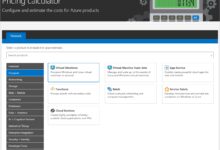
The Azure Pricing Calculator is the go-to tool for estimating costs before deployment. You can add VMs, storage, databases, and networking components to simulate a full environment.
- Real-time cost estimation as you build your architecture
- Compare pricing across regions
- Download estimates as PDF for stakeholder sharing
It’s ideal for planning new projects or migrating on-prem workloads. However, it doesn’t reflect actual usage—it’s a pre-deployment forecasting tool.
Azure Cost Management + Billing
Once resources are live, Azure Cost Management becomes your primary tool to calculate Azure costs in real time. Integrated directly into the Azure portal, it offers:
- Detailed cost analysis by resource, tag, or subscription
- Custom reports and dashboards
- Budget alerts and forecasting (up to 30 days ahead)
You can set budgets that trigger email alerts when spending hits 80% or 100% of the limit. This proactive monitoring helps prevent overages.
“Cost Management is not just a tool—it’s a mindset.” — Microsoft Azure Blog
For organizations with multiple subscriptions, Cost Management + Billing allows consolidated billing views across departments or tenants.
Third-Party Tools: CloudHealth, Apptio, and ParkMyCloud
While Azure’s native tools are powerful, third-party platforms offer deeper analytics and automation.
- CloudHealth by VMware: Advanced cost allocation, anomaly detection, and rightsizing recommendations
- Apptio Cloudability: Enterprise-grade cost intelligence with showback/chargeback features
- ParkMyCloud: Automates turning off non-production resources during off-hours
These tools integrate with Azure APIs and provide cross-cloud visibility if you’re using AWS or GCP as well.
How to Calculate Azure Costs Step by Step
Now that you know the components and tools, let’s walk through a practical process to calculate Azure costs—both before and after deployment.
calculate azure costs – Calculate azure costs menjadi aspek penting yang dibahas di sini.
Step 1: Define Your Architecture
Start by mapping out your intended Azure environment. List all resources: VMs, databases, storage accounts, networking components, and any PaaS services.
- Specify VM size, OS, and expected uptime (24/7 vs. 8-hour workday)
- Estimate storage needs and retention policies
- Identify data transfer patterns (intra-region, cross-region, internet egress)
This blueprint is essential for accurate forecasting. Use Azure Architecture Center templates for best practices.
Step 2: Use the Azure Pricing Calculator
Go to Azure Pricing Calculator and add each resource. For example:
- 2 x D4s v3 VMs (Linux) – $0.384/hour each
- 500 GB Standard SSD Storage – ~$66/month
- 100 GB SQL Database (Standard Tier) – ~$150/month
- 500 GB outbound data transfer – ~$40
The calculator will sum everything and show monthly estimates. You can save and share this for approval.
Step 3: Monitor Actual Usage with Cost Management
After deployment, switch to Azure Cost Management. Navigate to Cost Analysis and filter by:
- Subscription
- Resource Group
- Tags (e.g., Environment=Production, Owner=DevTeam)
Compare actual spend vs. forecast. Investigate discrepancies—maybe a VM was left running over the weekend, or storage grew faster than expected.
“Forecasting is good, but monitoring is power.” — Azure Cost Optimization Guide
Cost Optimization Techniques After You Calculate Azure Costs
Calculating Azure costs is only half the battle. The real value comes from using that data to optimize spending. Here are proven strategies to reduce your bill without sacrificing performance.
Use Reserved Instances (RIs) for Predictable Workloads
If you have steady-state workloads (like production databases or domain controllers), Reserved Instances offer up to 72% savings compared to pay-as-you-go.
calculate azure costs – Calculate azure costs menjadi aspek penting yang dibahas di sini.
- 1-year reservation: ~40-50% discount
- 3-year reservation: ~60-72% discount
- Can be exchanged or refunded within 30 days
Reservations apply to VMs, SQL Database, Cosmos DB, and more. Use Azure Advisor to get RI recommendations based on your usage patterns.
Learn more at Azure Reserved VM Instances.
Leverage Spot VMs for Fault-Tolerant Workloads
Spot VMs use Azure’s excess capacity and can save up to 90% compared to on-demand prices. They’re ideal for batch processing, CI/CD pipelines, or stateless apps.
- Can be evicted with 30 seconds notice
- Perfect for Kubernetes node pools or render farms
- Combine with autoscaling for resilience
Always design applications to handle interruptions when using Spot VMs.
Implement Auto-Shutdown and Scheduling
Development and testing environments don’t need to run 24/7. Use auto-shutdown policies to turn off VMs after business hours.
- Saves 60-70% on non-production VMs
- Configurable via Azure Automation or DevTest Labs
- Can be scheduled by day, time, or user
Tools like ParkMyCloud automate this across multiple clouds and teams.
Common Mistakes When Trying to Calculate Azure Costs
Even experienced teams make errors when estimating or managing Azure spending. Avoiding these pitfalls can save you thousands.
Ignoring Egress and Data Transfer Fees
Many teams focus only on VM and storage costs but forget about data egress. Sending data out of Azure to users or other clouds can become a major expense.
calculate azure costs – Calculate azure costs menjadi aspek penting yang dibahas di sini.
- CDN (Azure Front Door or CDN Standard) can reduce egress costs
- Use compression and caching to minimize data transfer
- Avoid frequent cross-region replication unless necessary
Always simulate egress in the Azure Pricing Calculator before finalizing architecture.
Overprovisioning Resources
It’s common to start with oversized VMs “just to be safe.” But a D8s v3 when a D4s v3 would suffice doubles your compute cost.
- Use Azure Monitor to check CPU, memory, and disk usage
- Downsize underutilized VMs (rightsizing)
- Consider autoscaling instead of overprovisioning
According to Microsoft, 68% of VMs are overprovisioned by at least one size tier.
Poor Tagging and Cost Allocation
Without proper tagging, you can’t track which team, project, or environment is spending what. This leads to unaccountable spending.
- Enforce tagging policies using Azure Policy
- Use tags like: CostCenter, Environment, Owner, Project
- Integrate with finance systems for chargeback
“No tags? No visibility. No visibility? No control.” — Azure Governance Best Practices
Advanced Strategies to Master Azure Cost Management
For organizations serious about cloud efficiency, going beyond basic cost tracking is essential. These advanced techniques help you institutionalize cost awareness across your organization.
Implement FinOps Practices
FinOps (Financial Operations) is a cultural and operational framework that brings finance, engineering, and business teams together to manage cloud costs collaboratively.
- Establish a FinOps team or champion
- Run monthly cloud cost reviews
- Use showback/chargeback models to allocate costs
The FinOps Foundation provides frameworks and certifications to help organizations mature their cloud financial management.
Use Azure Advisor for Continuous Optimization
Azure Advisor is a free tool that analyzes your usage and provides personalized recommendations.
calculate azure costs – Calculate azure costs menjadi aspek penting yang dibahas di sini.
- Identifies idle or underutilized resources
- Recommends Reserved Instances
- Suggests security and performance improvements
Enable Advisor and review its recommendations weekly. It’s like having a personal cloud consultant.
Automate Cost Controls with Azure Policy
Prevention is better than cure. Use Azure Policy to enforce cost-saving rules at scale.
- Block creation of VMs above a certain size
- Require specific tags on all new resources
- Enforce use of managed disks or specific storage tiers
For example, a policy can prevent developers from launching D-series VMs without approval, reducing risk of overprovisioning.
How to Forecast Future Azure Costs
Calculating current costs is important, but forecasting future spending is what enables strategic planning. Whether you’re budgeting for next quarter or planning a migration, forecasting helps you stay ahead.
Analyze Historical Trends
In Azure Cost Management, use the Cost Analysis tool to view spending trends over time. Look for patterns:
- Monthly growth rate (e.g., 10% increase due to new features)
- Seasonal spikes (e.g., holiday traffic for e-commerce)
- One-time costs (e.g., data migration)
Use this data to project next month’s spend with reasonable accuracy.
Use Forecasting Tools
Azure Cost Management includes a built-in forecasting engine that predicts spending up to 30 days ahead based on historical data.
- Adjust for known changes (e.g., new VM deployment)
- Compare forecast vs. budget
- Export data to Excel or Power BI for deeper analysis
Third-party tools like CloudHealth offer longer-term forecasts (6–12 months) with scenario modeling.
calculate azure costs – Calculate azure costs menjadi aspek penting yang dibahas di sini.
Scenario Planning for Growth
Simulate different growth scenarios using the Azure Pricing Calculator:
- What if traffic doubles? How much will bandwidth cost?
- What if we add 10 new microservices? How much compute will we need?
- What if we move to a multi-region setup? How much will networking increase?
This proactive approach helps avoid reactive budget crises.
How do I calculate my Azure bill?
You can calculate your Azure bill using the Azure Pricing Calculator for estimates, or Azure Cost Management + Billing for actual usage. Include compute, storage, networking, and data transfer costs. Use tags and filters to break down spending by resource or team.
What is the best tool to calculate Azure costs?
The best tool depends on your needs: Use the Azure Pricing Calculator for pre-deployment estimates, and Azure Cost Management for real-time monitoring and forecasting. For enterprises, tools like CloudHealth or Apptio offer advanced analytics.
How can I reduce my Azure costs?
You can reduce Azure costs by using Reserved Instances for steady workloads, leveraging Spot VMs for fault-tolerant tasks, implementing auto-shutdown for dev environments, rightsizing underutilized resources, and enforcing tagging policies. Regularly review Azure Advisor recommendations.
calculate azure costs – Calculate azure costs menjadi aspek penting yang dibahas di sini.
Why is my Azure bill so high?
Your Azure bill may be high due to unmonitored resource usage, overprovisioned VMs, data egress charges, idle resources, or lack of reserved capacity. Use Cost Management to identify top cost drivers and optimize accordingly.
Does Azure have a free cost calculator?
Yes, Azure offers a free, comprehensive Pricing Calculator that lets you estimate costs for any combination of services before deployment. It’s updated in real time and supports exporting to PDF.
Calculating Azure costs accurately is not a one-time task—it’s an ongoing discipline. From using the Azure Pricing Calculator to leveraging Cost Management and adopting FinOps practices, every step you take improves visibility and control. By understanding pricing components, avoiding common mistakes, and applying optimization strategies, you can reduce spending by 30%, 50%, or even more. The cloud should empower your business, not drain it. Start calculating Azure costs today and take back control of your budget.
Recommended for you 👇
Further Reading: